TrackDrop listeners
Loading live music activity...
TrackDrop
Join TestFlight
Apple Music already sets the standard for music. TrackDrop builds around it with AI voice control, social listening, private messages, playlists, favorites, and Beat Battle. It is the extra layer Apple Music fans have been waiting for.
iOS beta available through TestFlight. Apple Music subscription may be required for full playback.
From MusicKraze, the music platform behind TrackDrop.
See real public TrackDrop listening activity from people you might know, then discover what they are playing.
TrackDrop is built for people who already love Apple Music: the sound quality, the catalog, the library, the playlists, the radio, and the way it fits naturally across iPhone, AirPods, CarPlay, and the Apple ecosystem.
We think Apple Music is the best thing since sliced pie. TrackDrop does not replace it. TrackDrop makes it more social, more personal, and easier to command by voice.
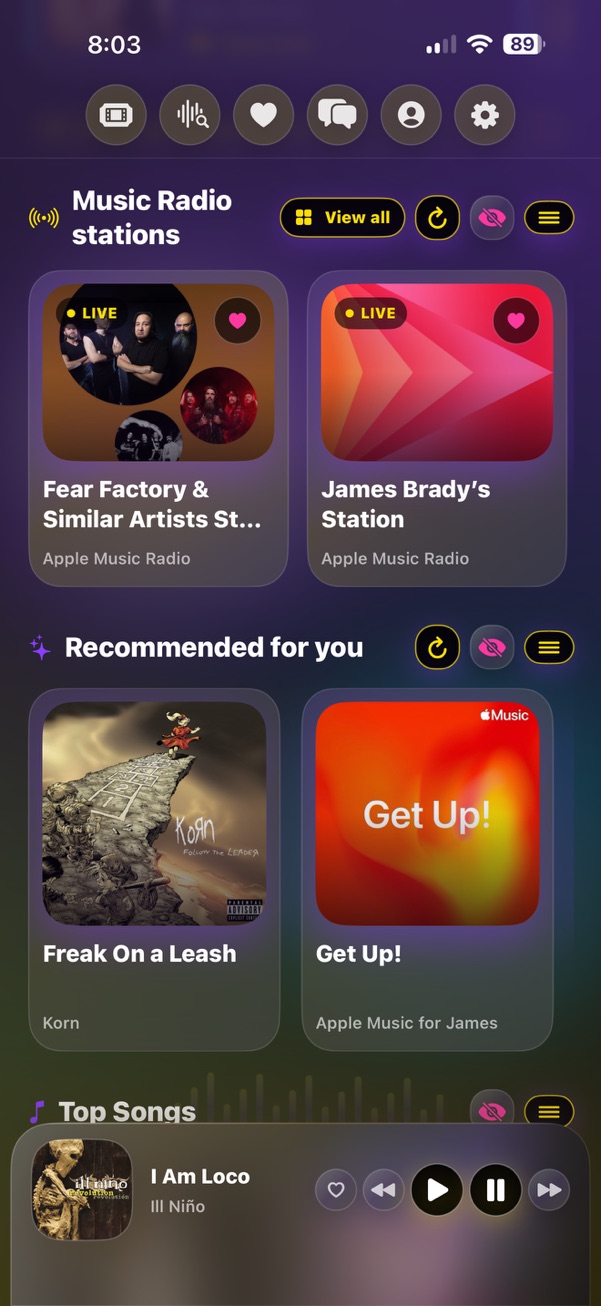
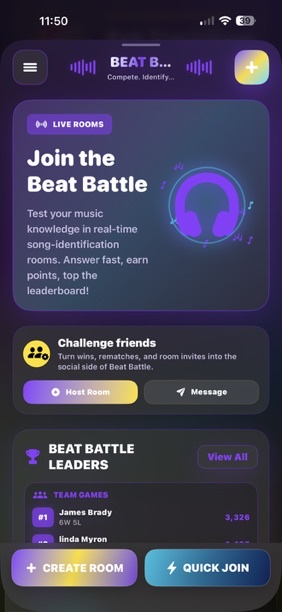
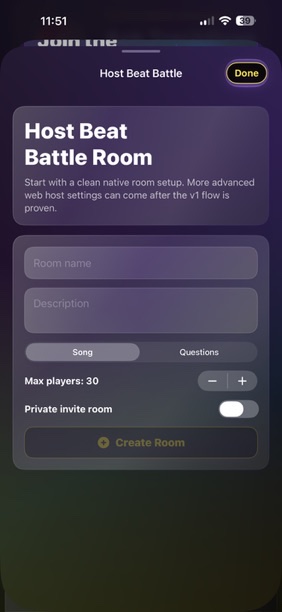
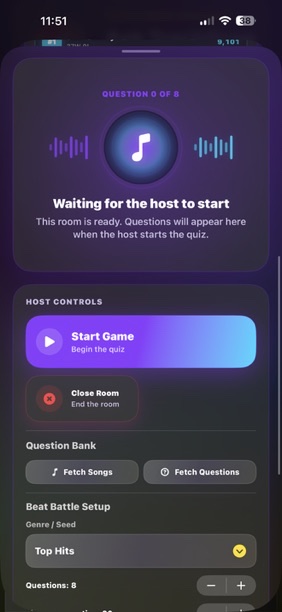
Swipe through TrackDrop in action: playback, favorites, messages, radio, Beat Battle rooms, live trivia, correct-answer moments, and Ticketmaster-powered event discovery.
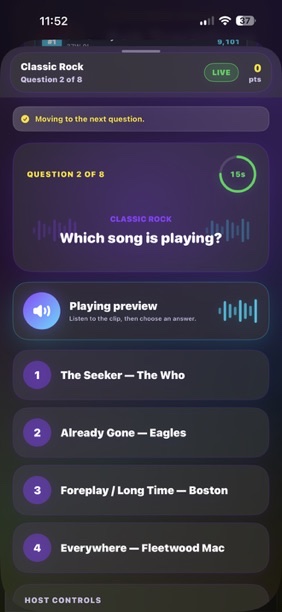
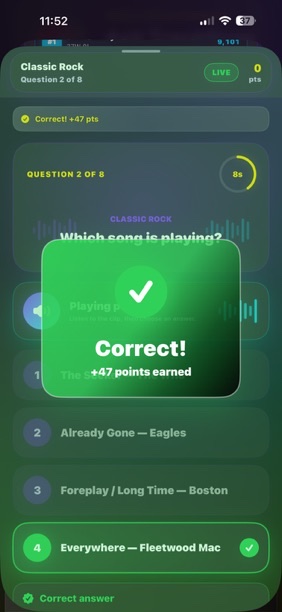
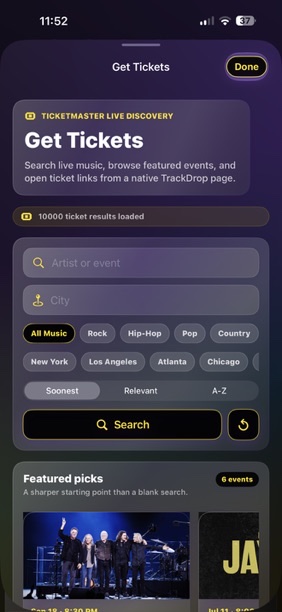
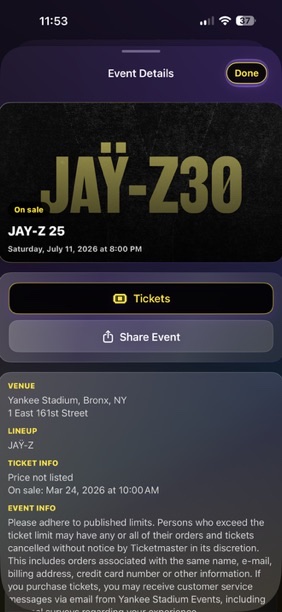
Search, play, queue, recommend, and organize music through a native iOS experience built around MusicKit.
Ask naturally for songs, artists, queues, playlists, radio stations, and music ideas.
Listen to music playing around you, identify the track, and quickly add it to TrackDrop.
Send music, share favorites, react, reply, and keep conversations moving with friends.
Compete in real-time music matchups, vote on tracks, and prove who has the better taste.
Save songs, artists, albums, stations, and TrackDrop playlists in one music-first space.
TrackDrop keeps music actions clear: Play Now starts immediately, Queue adds songs without interrupting, and playlists preserve the mood for later.
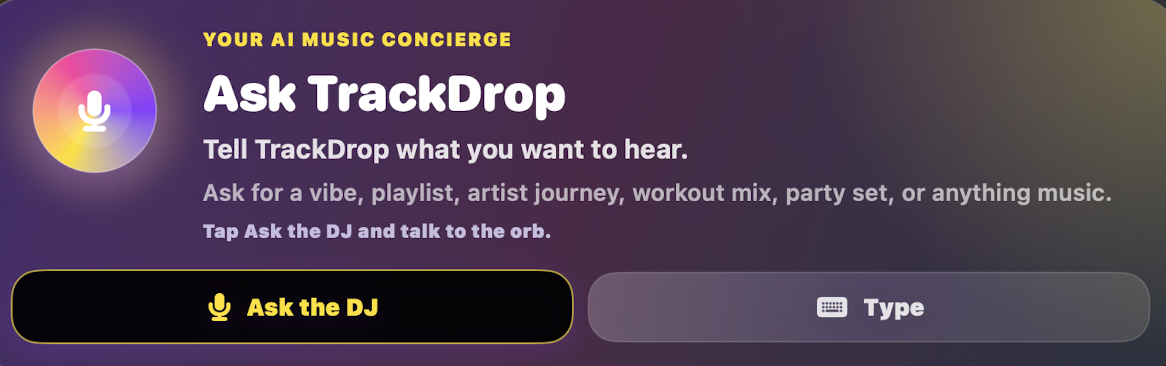
MK AI is designed for music requests that should feel natural: find the artist, build the queue, start the radio, open the playlist, or save the moment.
TrackDrop is built like a music command center for people who live in Apple Music but want more ways to discover, share, compete, and organize.
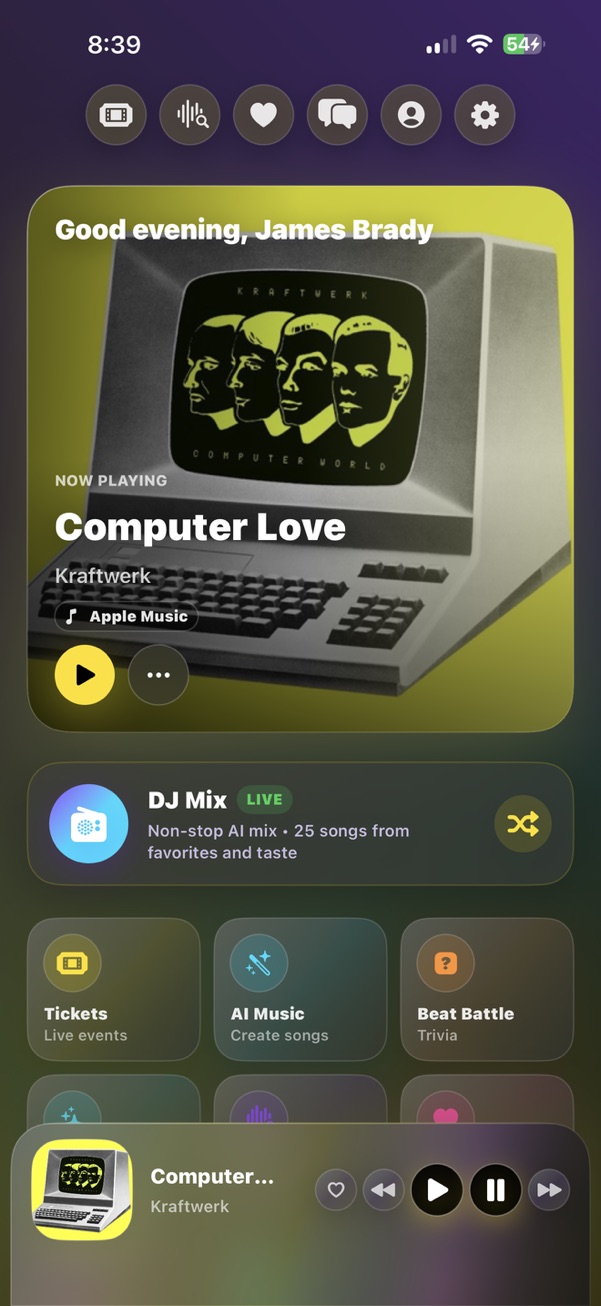
Open to a personalized music dashboard with current playback, quick navigation, DJ Mix, Tickets, AI Music, Beat Battle, radio, favorites, search, messages, profile, and settings.
Keep the current song visible with artwork, artist, source, playback controls, like actions, previous and next, and a mini-player that stays within reach.
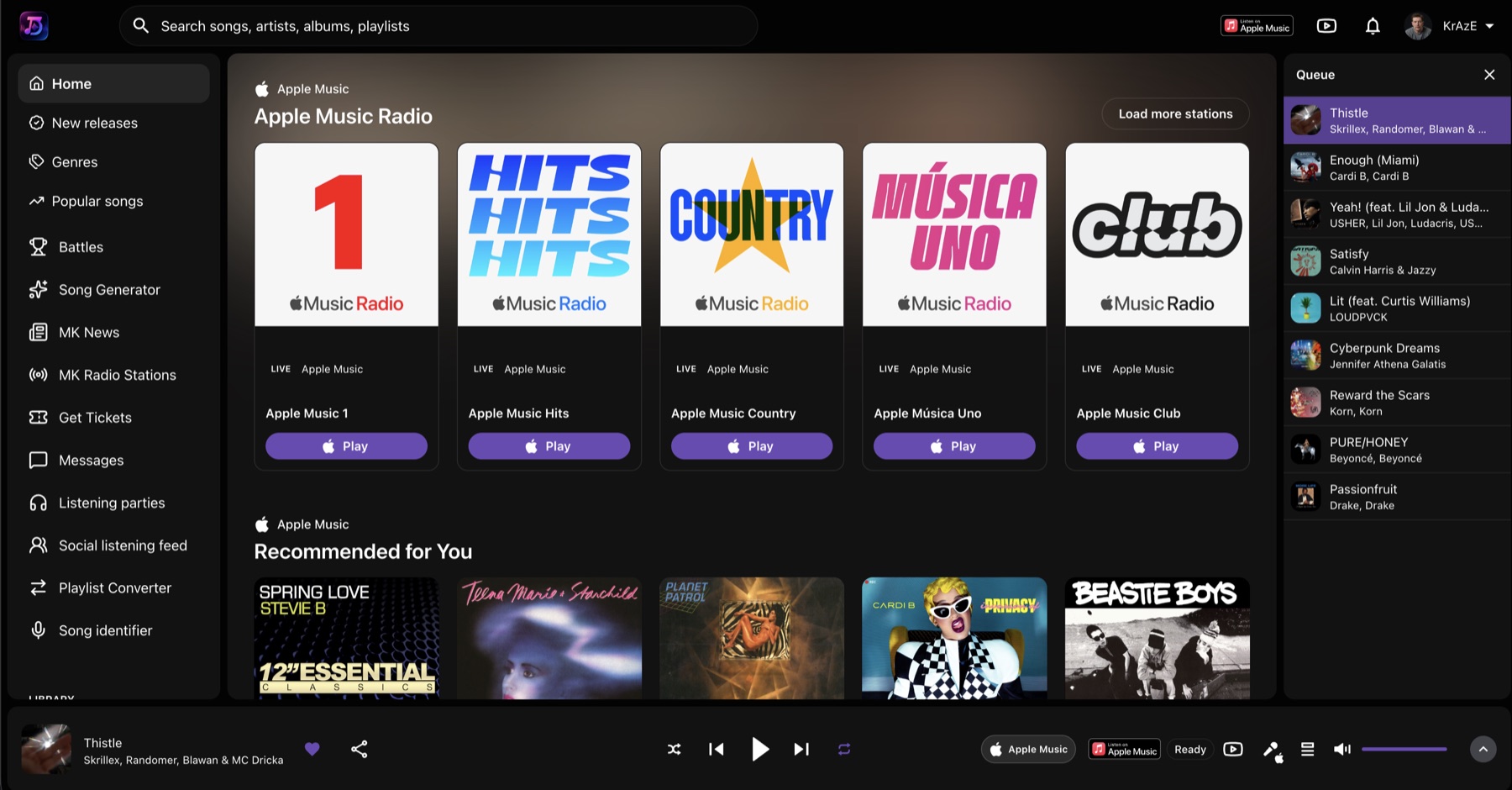
Search and play Apple Music songs, albums, artists, playlists, radio stations, recommendations, top songs, and library content through MusicKit.
Use TrackDrop to listen to a song playing nearby, identify the track, then save it, add it to favorites, send it to a friend, or move it into your TrackDrop music flow.
Use Play Now when you want immediate playback, Queue when you want music added next, and playlist actions when you want a session saved for later.
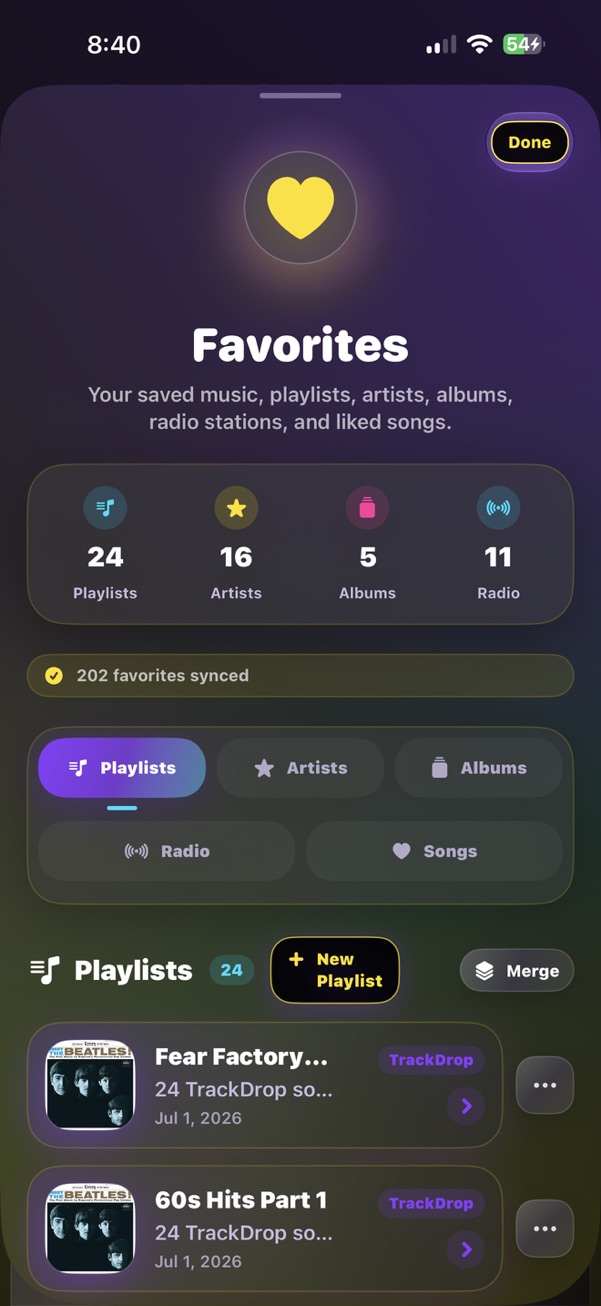
Save playlists, artists, albums, radio stations, liked songs, and TrackDrop playlists. Keep your music collection organized by mood, taste, and listening habits.
Create native TrackDrop playlists, save songs, merge playlists, restore synced lists, and keep playlist artwork and counts close to the listening experience.
Browse Apple Music radio, personal stations, artist-based stations, similar artist radio, and live station cards that make discovery feel immediate.
Explore music suggestions, top songs, refreshed modules, and Apple Music-powered recommendations tailored to what you are already playing.
Ask MK AI to find songs, build queues, make playlists, search lyrics, play tracks, open app sections, find radio, and help you move through the app naturally.
Create songs and explore generated music features as the app grows, with TrackDrop keeping AI music separate from Apple Music playback where needed.
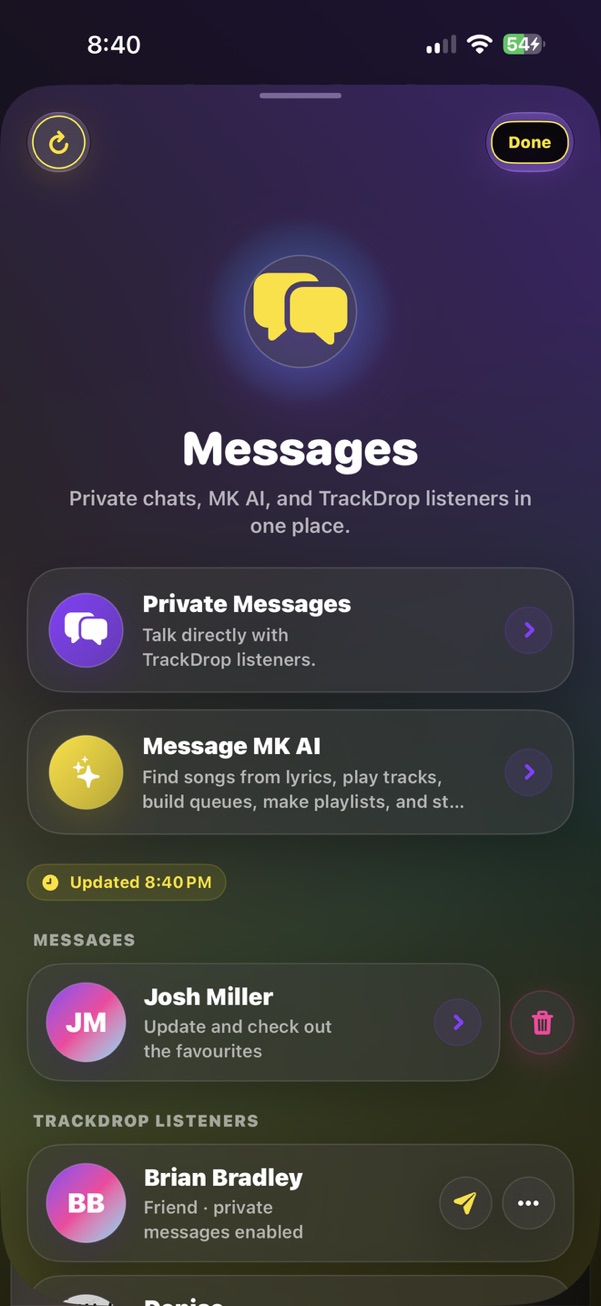
Chat directly with TrackDrop listeners, share songs and playlists, send media, react, reply, delete conversations, and keep the music conversation private.
Use the messages screen to talk with MK AI for music help, lyric discovery, queue building, playlist creation, and quick music actions.
Challenge friends in real-time music matchups, vote on tracks, play rounds, climb leaderboards, and turn taste into a game.
Use the Tickets area for live-event discovery around artists and music activity as the feature set expands.
Send music links and media into TrackDrop from iOS share sheets so discoveries can become messages, posts, or saved music moments.
Keep display name, profile image, mood, privacy, favorites, playlists, stats, scrobbles, and app identity synced through TrackDrop services.
Use music safety controls to reduce explicit content where TrackDrop can identify it, especially for family and Kids Mode workflows.
TrackDrop is designed for iPhone-first listening with Apple Music, AirPods, CarPlay, AirPlay, widgets, Siri/App Intents, and iOS sharing.
TrackDrop Web is built for website users who want the TrackDrop experience in a browser. Register, sign in, search music, build queues, browse Apple Music Radio, and use the web player from trackdrop.musickraze.com.
If you do not have Apple Music, you can still use YouTube for playback in the web version. The best TrackDrop experience is with an Apple Music subscription because Apple Music unlocks the richest playback and library features.
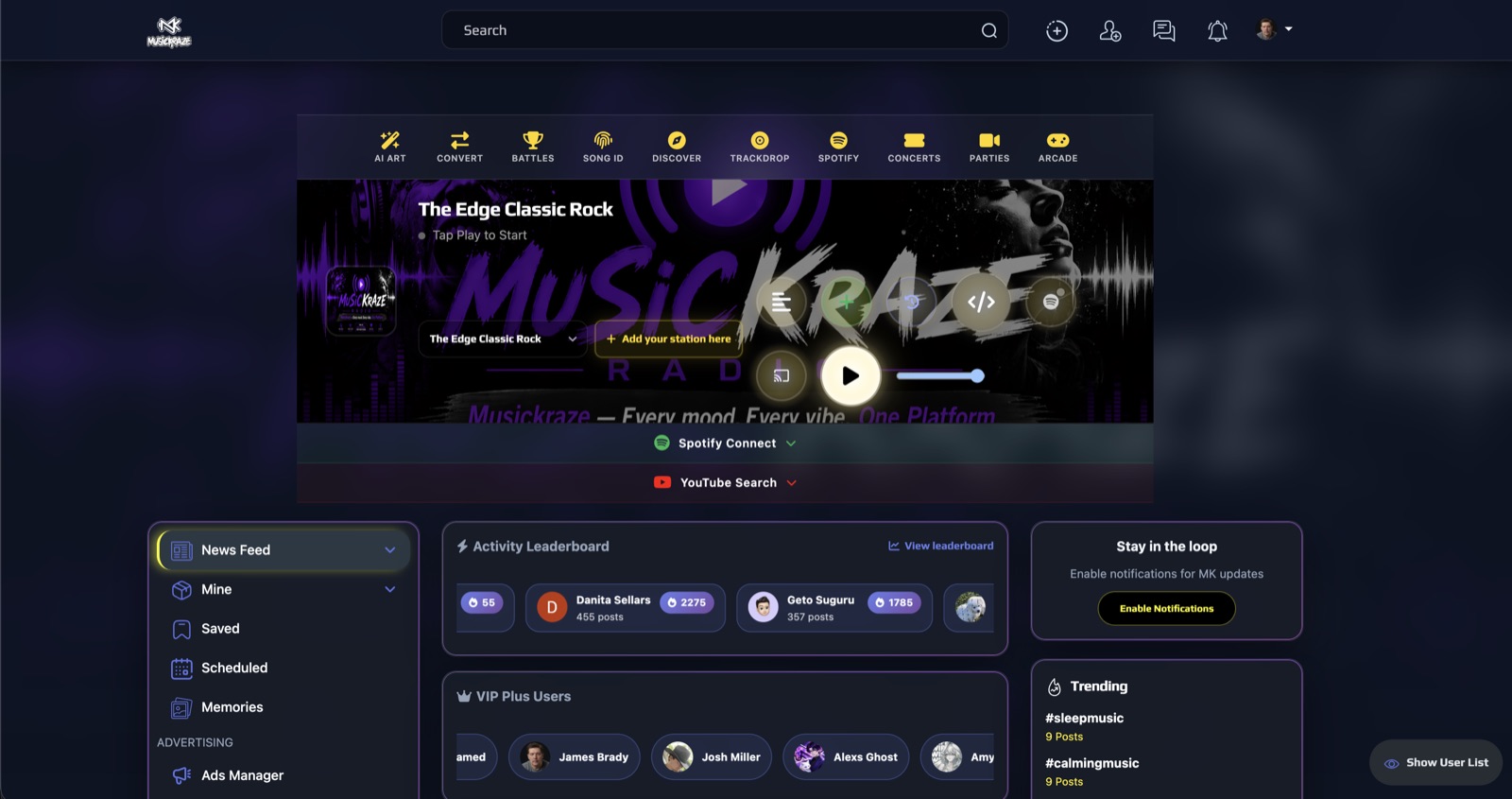
TrackDrop comes from MusicKraze, a music-first platform for discovery, radio, artists, battles, parties, concerts, and community features. TrackDrop brings that same energy into a focused iPhone companion app built around Apple Music.
We even have a CodyChat add-on for communities that want to bring the TrackDrop music experience into their own chat setup. The add-on searches and displays YouTube videos inside CodyChat.
Get early access while TrackDrop prepares for the App Store. Bring your Apple Music library, your taste, and your people.
TrackDrop is built for music fans. We keep legal and support information easy to find before you join the beta.